Why is my business not showing on Google Maps? Usually because your Google Business Profile isn’t verified, it’s too new, your information is incomplete or inconsistent, you’re searching from too far away, or Google has suspended it. Fix the cause and your business will typically reappear on Google Maps within a few days.
So you searched for your own shop on Google Maps, scrolled, and… nothing. Frustrating, right? You know your business exists — you’re sitting inside it — but Google acts like it doesn’t.
Take a breath. This happens to thousands of Indian businesses, and nine times out of ten, the reason is something small and fixable. Let’s go through the real causes, one by one.
Why Your Business Isn’t Showing on Google Maps
Google Maps doesn’t hide businesses to annoy you. It simply won’t show a listing it isn’t confident about. Think of it like a shopkeeper who won’t recommend a place he’s not sure is still open. Your job is to give Google enough proof that you’re real, active, and relevant — exactly what Google asks for in its guidelines for representing your business on Google.
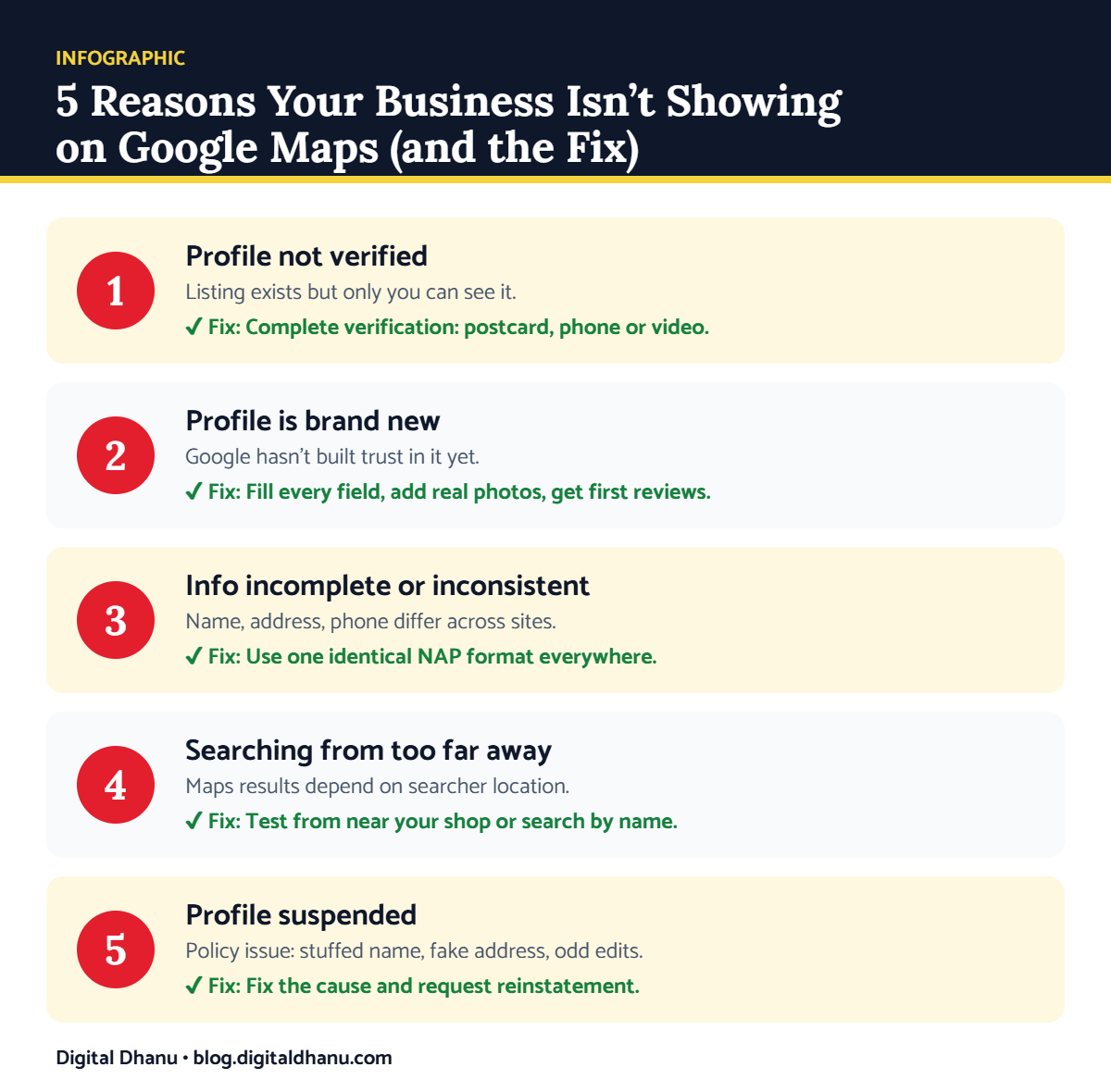
Most of the time, the problem falls into one of these five buckets:
Reason 1: Your Profile Isn’t Verified
This is the most common one. If you created a Google Business Profile but never completed verification, Google won’t show you publicly. The listing exists, but only you can see it.
✅ The fix: Open your profile, look for the “Verify now” option, and complete it — usually by postcard, phone, or video. Google explains every method in its official business verification help page, and our complete GMB verification guide for 2026 walks you through each step, including video verification.
Reason 2: Your Profile Is Brand New
If you just created your listing, patience helps. New profiles take a little time before Google trusts them enough to rank them, especially in busy cities.
✅ The fix: Fill every section completely, add real photos, and get your first few reviews. A complete profile earns trust faster than an empty one. Follow our guide on how to set up a Google Business Profile in India, and learn how to get more Google Business Profile reviews.
Reason 3: Your Information Is Incomplete or Inconsistent
Here’s something many owners miss. If your business name, address, or phone number is written differently on Google, JustDial, your website, and Facebook, Google gets confused — and a confused Google hides you.
✅ The fix: Pick one exact format for your name, address, and phone, then make it identical everywhere. This single step fixes a surprising number of visibility problems. For more quick wins, see our top local SEO tips for Indian businesses.
Stuck already? Get a free Google Maps check
Send us your business name on WhatsApp — we’ll tell you exactly why you’re not showing, free.
Reason 4: You’re Searching From Too Far Away
Google Maps shows results based on where the person is. If you’re checking from home across town, your shop might not appear — but a customer standing nearby would see it fine.
✅ The fix: Ask a friend near your shop to search, or check directly inside Google Maps by name. If customers nearby still can’t find you, it’s a ranking problem — here’s how to rank on Google Maps in India and increase your Google Business Profile views.
Reason 5: Your Profile Has Been Suspended
Sometimes Google suspends a profile — often for a policy issue like keyword-stuffing your business name, using a fake address, or sudden suspicious edits. A suspended profile vanishes from Maps completely.
✅ The fix: Check your email and profile dashboard for a suspension notice. Correct the issue and request reinstatement through Google’s suspended profile help page. Our guide on what to do when your Google Business Profile is suspended covers the full process.
Quick Diagnosis Table: Symptom, Cause and Fix
| What you see | Likely cause | What to do | Typical time |
|---|---|---|---|
| Only you can see the listing | Not verified | Complete verification | 1–7 days |
| Listing new, no views | Low trust | Complete profile, photos, reviews | 2–4 weeks |
| Shows for name, not for service | Weak or inconsistent info | Fix NAP & categories | 2–6 weeks |
| Visible nearby, not across town | Distance / proximity | Normal — improve ranking | Ongoing |
| Listing vanished completely | Suspension | Fix issue, request reinstatement | 1–4 weeks |
A Quick Checklist: Is Your Business Showing on Google Maps?
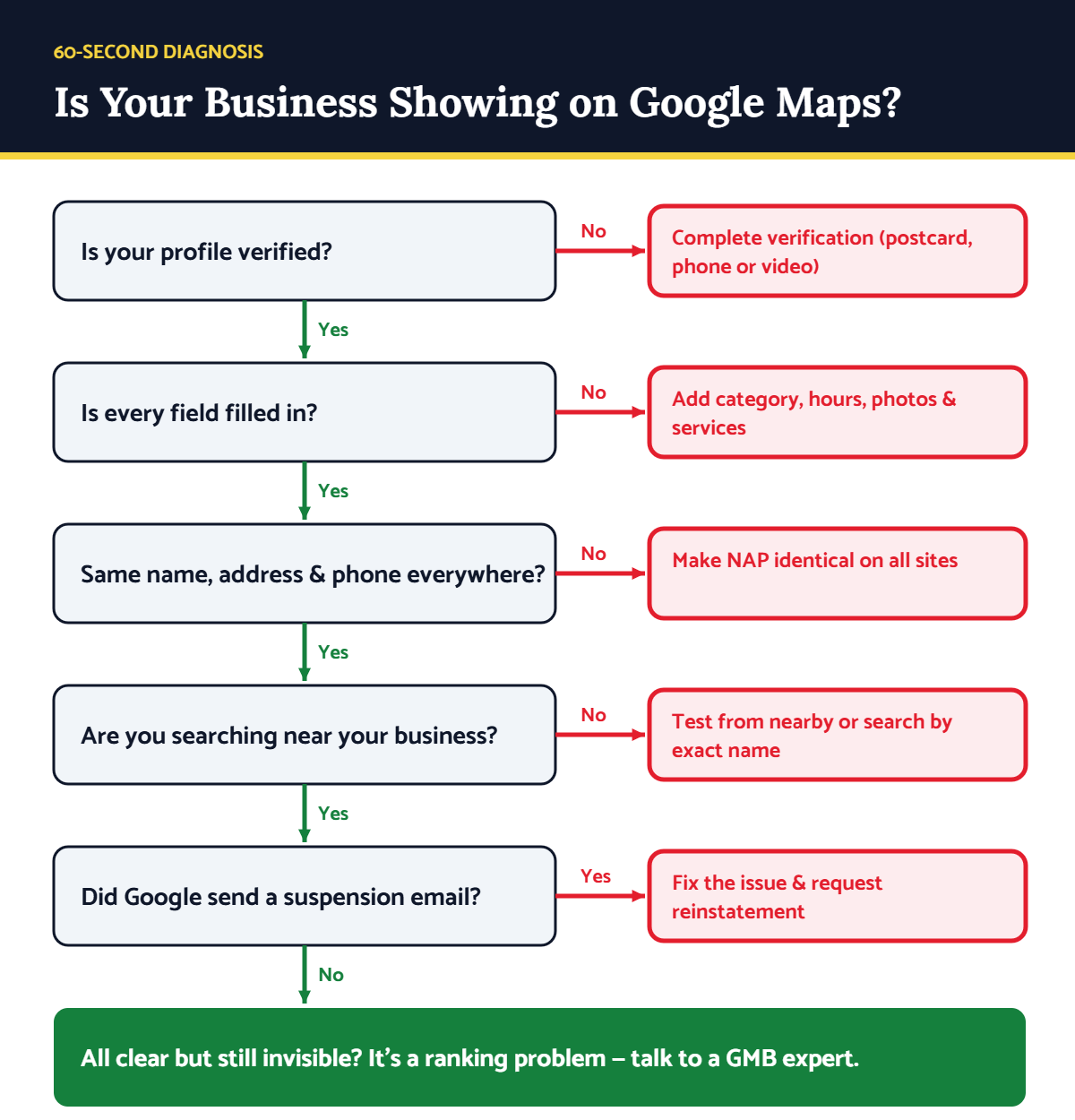
Run through these in order — or follow the flowchart below:
- Is your profile verified? If not, that’s your answer.
- Is every field filled in — category, hours, address, photos?
- Does your name, address, phone match everywhere online?
- Are you searching from near the business, not far away?
- Did you get a suspension email from Google?
Key takeaway: A business disappears from Google Maps for a reason Google can see, even if you can’t. Verify, complete, and stay consistent — and you’ll show up where your customers are looking.
When It’s Worth Getting Help
If you’ve checked everything and you’re still invisible — or worse, you’ve been suspended and don’t know why — that’s when a specialist saves you weeks of guessing. Fixing suspensions and ranking issues is fiddly work, and one wrong move can set you back further.
Digital Dhanu has helped over 1,300 businesses across India get found on Google Maps and stay there. Our Google Business Profile optimisation service finds out exactly why you’re invisible and fixes it — or book a free consultation and we’ll check your profile for you.

Written by the Digital Dhanu GMB Team
Google Business Profile & Local SEO specialists based in Noida. 1,300+ businesses helped across India, Dubai and Australia since 2019.
Let’s Get Your Business Back on the Map
Don’t lose customers to competitors just because Google can’t see you. We’ll tell you honestly what’s wrong — no jargon, no pressure.
Get a Free Google Maps Visibility Check
Talk to a GMB expert today — reply within working hours.
Frequently Asked Questions
How long does it take to show up on Google Maps after verifying?
Usually a few days, though it can take up to two weeks in competitive areas. A complete, active profile speeds this up.
Why can I see my business but my customers can’t?
Maps results are personalised by location. You might see your own listing while customers elsewhere don’t — often a sign of low ranking or a hidden issue like missing verification.
Can a new business show on Google Maps immediately?
Not instantly. New profiles need verification and a little time before Google trusts them enough to display publicly.
Does a suspended Google profile come back on its own?
No. You have to fix the cause and request reinstatement. It won’t return until Google reviews and approves it.
Is it free to list my business on Google Maps?
Yes, creating and verifying a Google Business Profile is completely free. You only pay if you choose expert help to optimise or fix it.