How do you optimize your Google Business Profile? Choose the exact category, fill every field completely, add real photos regularly, collect and reply to reviews, keep your details consistent everywhere, and post weekly. When you optimize your Google Business Profile this way, a complete, active profile ranks and converts far better.
Creating a Google Business Profile takes five minutes. However, optimising it so it actually brings customers is a different game. As a result, most profiles sit there half-finished, doing almost nothing.
This guide covers every part that matters, in plain language. Then, do these and you’ll stand out from the half-done listings around you.
Why You Should Optimize Your Google Business Profile
In fact, your profile is often the first thing a local customer sees — before your website, before your shop. Google’s guide on improving your local ranking is clear: complete, accurate and active profiles are more likely to show up and get chosen.
Therefore, every step below improves either your ranking, your conversions, or both.
Step 1: Optimize Your Google Business Profile Category and Description
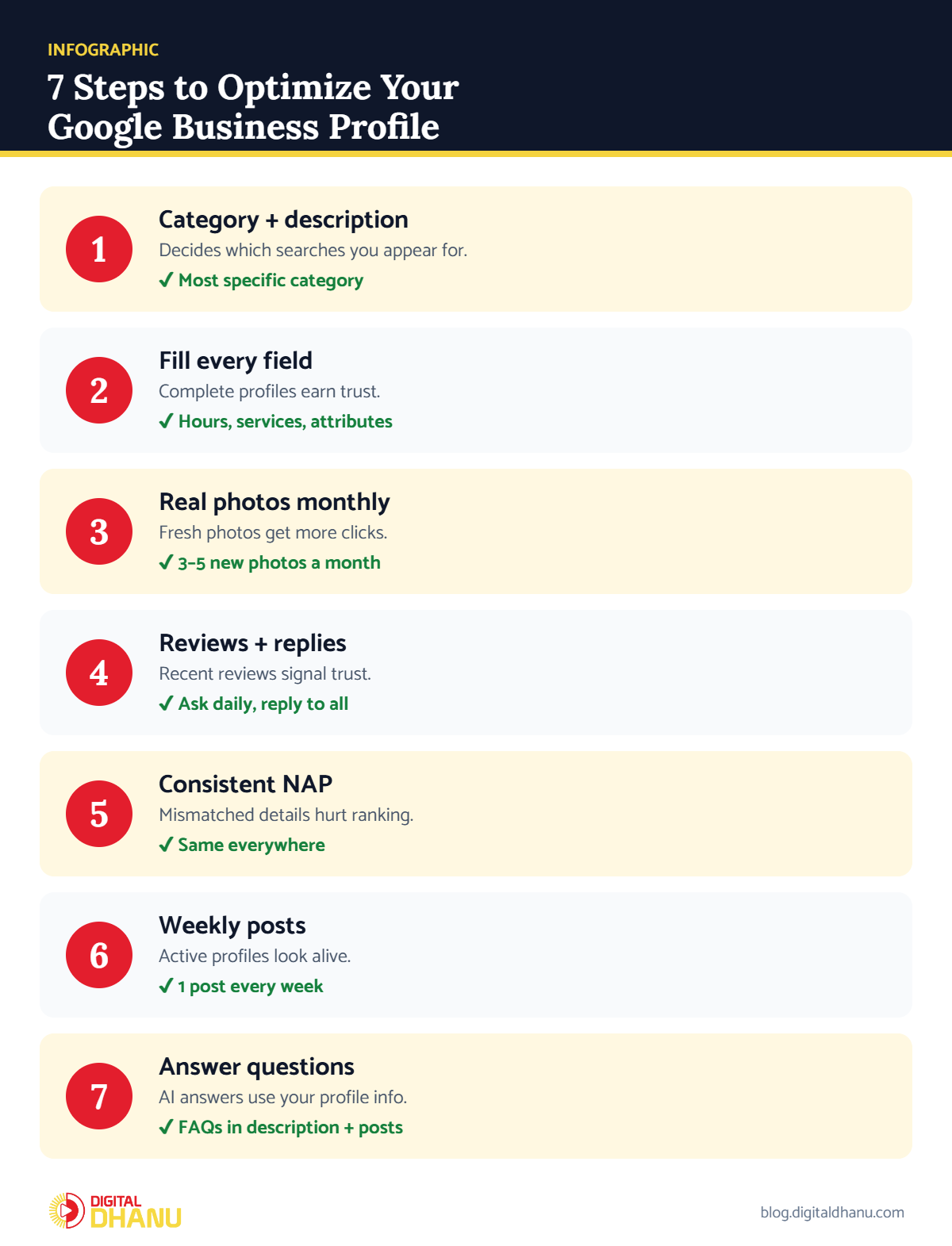
Your primary category decides which searches you appear for, so choose the most specific one. Also, add relevant secondary categories if they truly fit.
Next, in your description, write naturally about what you do and where. Mention your city and main services, but don’t stuff keywords, because Google and customers both dislike that.
✅ The fix: Pick the most specific primary category, add 2–4 relevant secondary ones, and write a 600–750 character description that reads like you’re talking to a customer.
Step 2: Fill Every Field — Leave Nothing Blank
After all, a complete profile earns Google’s trust. Work through each section:
- Hours — accurate, with special holiday hours.
- Services and products — every one, with short descriptions and prices where possible.
- Attributes — payment options like UPI, accessibility and more.
- Contact options — phone, website, booking link and WhatsApp/chat where available.
✅ The fix: Open your profile editor and work top to bottom until no field says “Add”. Starting fresh? See how to set up a Google Business Profile in India.
Step 3: Add Real Photos Every Month
For example, profiles with fresh, real photos get more clicks and calls. Add your storefront, interior, team and your actual work. However, skip stock images — customers can tell, and Google’s photo tips for Business Profiles recommend real, high-quality images.
✅ The fix: Add your logo, a cover photo, 3+ exterior shots (so people recognise you), interior shots and a few photos of real work — then add 3–5 new photos every month.
Want us to optimise it for you?
Send your profile link on WhatsApp — we’ll tell you exactly what’s missing, free.
Step 4: Build Reviews and Reply to Them
Above all, reviews are a huge part of optimisation. So collect them steadily through WhatsApp, and reply to every single one. As a result, recent reviews with replies tell Google your business is active and trusted.
✅ The fix: Follow our step-by-step guide on how to get more Google reviews for your business.
Step 5: Keep Your Details Consistent
Keep your name, address and phone identical across Google, JustDial, Sulekha, IndiaMART and your website. In fact, inconsistent details are one of the most common reasons good businesses don’t rank.
Step 6: Post Weekly
Post an offer, update, event or tip every week. Moreover, posts keep your profile looking alive and give customers a reason to call today. Google explains the post types in its guide to creating posts.
✅ The fix: Batch-create four posts at the start of each month and publish one every week.
Step 7: Answer Customer Questions Clearly
Recently, Google has replaced the old public Q&A section on Business Profiles with AI-generated answers that draw on your profile, reviews and website. Therefore, the information you add yourself matters more than ever.
✅ The fix: Put the answers to your most common questions — prices, timings, parking, home service, payment options — directly into your description, services and posts.
How to Optimize Each Google Business Profile Section
| Section | What good looks like | How often |
|---|---|---|
| Category | Most specific primary + relevant secondary | Once, review yearly |
| Description | Natural, city + services, no stuffing | Once, update yearly |
| Hours | Accurate incl. holidays | Before every holiday |
| Services/products | Every service with description | When offerings change |
| Photos | Real exterior, interior, team, work | 3–5 new per month |
| Reviews | Steady flow + every review replied | Daily |
| Posts | Offers, updates, tips | Weekly |
Checklist to Optimize Your Google Business Profile
Before you call it done, make sure you’ve ticked these:
- Most specific primary category chosen
- Description written naturally with city and services
- Every field filled, including services and attributes
- Fresh photos added this month
- Reviews replied to and one post published this week
Key takeaway: To optimize your Google Business Profile isn’t one task — it’s keeping every part complete, consistent and active. That’s what turns a listing into a lead machine.
Want Us to Optimize Your Google Business Profile?
Once your profile is optimised, the next step is climbing the map — our guide on how to rank number 1 on Google Maps in India shows how.
Of course, optimising a profile properly takes attention to dozens of small details. Digital Dhanu does this every day for businesses across India. Explore our Google Business Profile optimisation service or book a free consultation.

Written by the Digital Dhanu GMB Team
Google Business Profile & Local SEO specialists based in Noida. 1,300+ businesses helped across India, Dubai and Australia since 2019.
Get a Fully Optimised Profile
Send us your profile and we’ll tell you exactly what’s missing — and fix it for you if you want.
Get a Free Profile Optimisation Audit
Talk to a GMB expert today — clear advice, no jargon.
Frequently Asked Questions
What does optimizing a Google Business Profile mean?
It means completing and improving every part of your profile — category, description, photos, reviews and posts — so it ranks higher and brings more customers.
How often should I update my profile?
Ideally, post weekly and add new photos monthly. Regular activity signals that your business is active and relevant.
Is optimizing my profile free?
Yes, you can do it yourself for free. However, expert help saves time and handles the finer details that drive results.
Which is the most important part to optimize?
Above all, the category and reviews. The right category decides your searches, and reviews build the trust that ranks you.
How long before optimization shows results?
Usually within 30 to 60 days, faster in less competitive areas. In the end, consistency is what makes it stick.