How do you choose the right Google Business Profile category? Pick the most specific primary category that describes what your business is (not everything it does), then add a few secondary categories for your other core services. Check what top-ranking competitors use, and never add categories you don’t actually offer.
Most business owners spend hours on photos and posts — and two seconds on their category. That’s a costly mistake. Your Google Business Profile category tells Google which searches you deserve to appear for. Get it wrong, and you can be invisible for the exact services you sell.
The good news? It’s one of the fastest fixes in local SEO. Here’s how to get it right.
What Is a Google Business Profile Category?
Your category is a label that tells Google what type of business you are — like “Dentist”, “Interior Designer” or “Digital Marketing Agency”. Google uses it to match your profile with searches. You get one primary category and can add several secondary categories, as explained in Google’s own guide to managing your business category.
The primary category carries the most weight. Secondary categories help you show up for related services, but they never replace a well-chosen primary one.
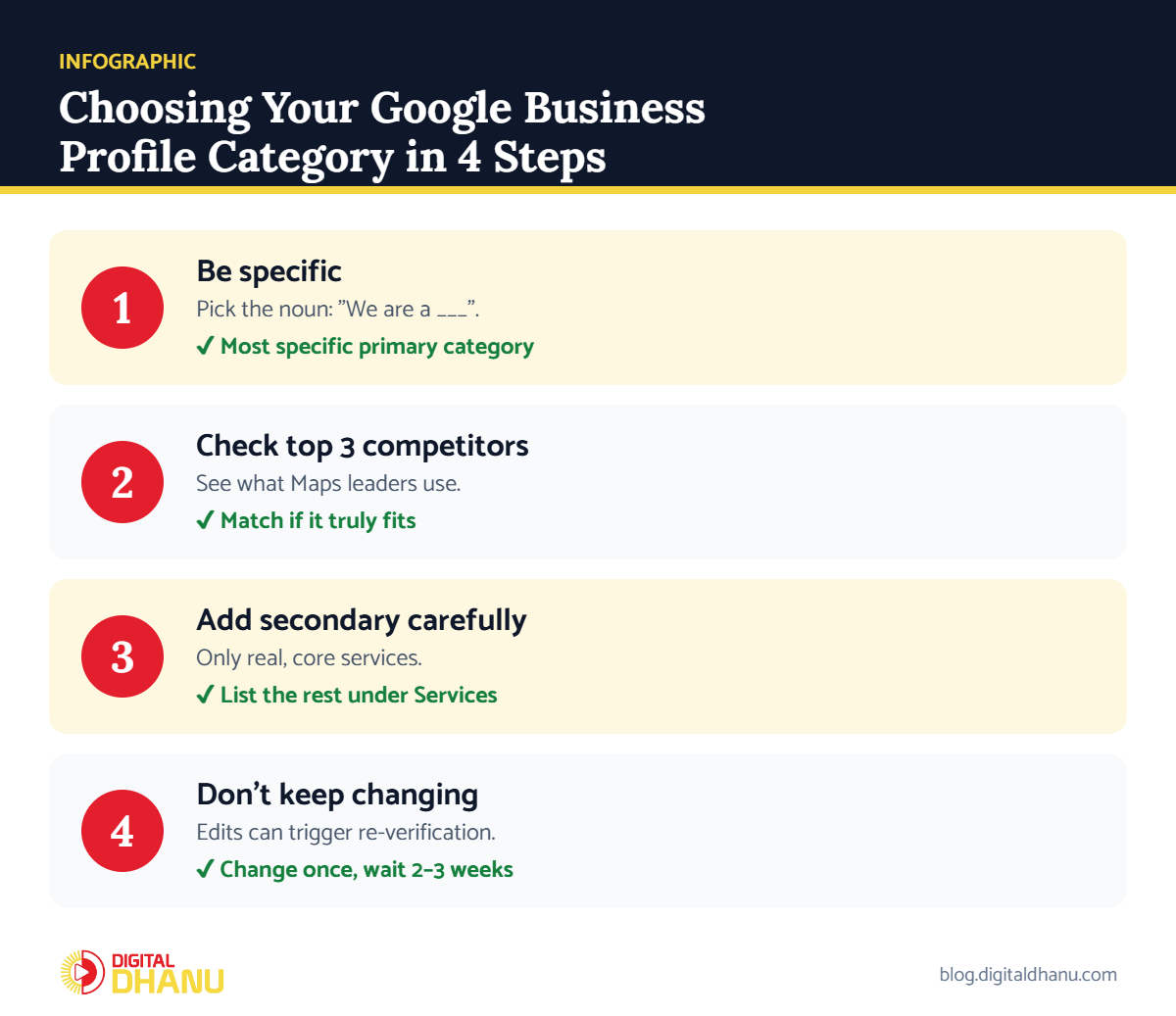
Step 1: Choose the Most Specific Primary Category
Google rewards specificity. If you run a dental clinic focused on implants, “Dental Implants Periodontist” or “Dentist” is better than a vague “Health” or “Clinic”. The more precisely your category matches what people search, the easier it is for Google to show you.
✅ The fix: Describe your business in one sentence, then pick the category that matches the noun in that sentence — “We are a ___.” That’s usually your primary category.
Step 2: Spy on the Top 3 Competitors
Search your main keyword in Google Maps and open the top three results. Their primary category is shown right under the business name. If all three use the same category and you don’t, that’s a strong signal you’re in the wrong one. Our guide on how to rank on Google Maps in India explains why matching search intent matters so much.
✅ The fix: Note the categories of the top 3 profiles for your main keyword. Use the most common one as your primary category if it truly fits your business.
Not sure which category fits you?
Send us your business name on WhatsApp — we’ll check your category against your top competitors, free.
Step 3: Add Secondary Categories Carefully
Secondary categories should cover your other main services — not every small thing you do. A salon might add “Nail Salon” and “Hair Salon” if both are real departments. Adding unrelated categories confuses Google and can trigger a review of your profile.
✅ The fix: Add secondary categories only for services that are a real part of your business, then list everything else in the Services section. Google’s guide on managing your services shows how.
Step 4: Never Change Categories Too Often
Frequent category edits can look suspicious and may even push a profile into re-verification. It’s one of the quiet reasons a business disappears, which we cover in why your business is not showing on Google Maps.
✅ The fix: Pick your categories once, carefully. If you must change the primary category, do it once and then give it 2–3 weeks before judging the results.
Good vs Bad Google Business Profile Category Choices
| Business | Weak choice | Better primary category | Useful secondary |
|---|---|---|---|
| Dental clinic | Clinic | Dentist | Cosmetic Dentist |
| Interior studio | Designer | Interior Designer | Kitchen Remodeler |
| Coaching centre | School | Coaching Center | Tutoring Service |
| Car repair shop | Car Service | Auto Repair Shop | Car Battery Store |
| Marketing agency | Consultant | Marketing Agency | Internet Marketing Service |
Google Business Profile Category Checklist
Before you hit save, run through this quick list:
- Primary category describes what your business is
- It matches what the top 3 competitors use (if it fits you)
- Secondary categories are real, core services only
- Everything else is listed in the Services section
- You’re not changing categories every week
Key takeaway: Your primary category is the single biggest on-profile ranking signal you control. Be specific, copy what works for top competitors, and keep secondary categories honest.
When It’s Worth Getting Help
If your profile still isn’t ranking after fixing categories, the issue may be deeper — reviews, NAP consistency or profile trust. Our local SEO tips for Indian businesses cover the next steps.
Digital Dhanu has optimised profiles for 1,300+ businesses. Our Google Business Profile optimisation service includes a full category audit — or book a free consultation and we’ll review yours.

Written by the Digital Dhanu GMB Team
Google Business Profile & Local SEO specialists based in Noida. 1,300+ businesses helped across India, Dubai and Australia since 2019.
Get Your Category Right the First Time
The right category can move you from page two to the Map Pack. Let’s make sure yours is working for you.
Get a Free Category & Profile Audit
Talk to a GMB expert today — we’ll tell you exactly what to change.
Frequently Asked Questions
How many categories can I add to my Google Business Profile?
You get one primary category and can add several secondary categories. Use only the ones that genuinely describe your business.
Does the primary category affect ranking?
Yes. It’s one of the strongest ranking signals on your profile because it tells Google which searches your business is relevant for.
Can I change my Google Business Profile category later?
Yes, but avoid frequent changes. Big category changes can trigger re-verification and temporarily affect visibility.
What if my exact category doesn’t exist?
Choose the closest broader category that still describes your business, then describe your specialties in the Services and description sections.
Should I copy my competitor’s category?
Use competitors as a guide, not a rule. If their category truly matches your business, it’s a good sign it works for that search.