How do you get leads from Google Business Profile? Make it effortless to contact you (call button, WhatsApp, directions, booking link), show strong recent reviews, add clear photos and offers, reply to enquiries fast, and track what’s working. In short, visibility gets you seen, while these steps turn views into leads from Google Business Profile.
Ranking on Google Maps feels great, but rankings don’t pay the bills — leads do. In fact, plenty of businesses sit in the top three and still don’t get many calls, because visibility and leads aren’t the same thing.
So let’s talk about turning people who see your listing into people who actually contact you.
Why Visibility Alone Doesn’t Bring Leads
Being seen is step one. However, a customer who finds you still decides in seconds whether to call or move on. If your profile looks thin, has old reviews or makes contact awkward, they’ll pick the next business. Therefore, getting leads is about removing every reason to hesitate.
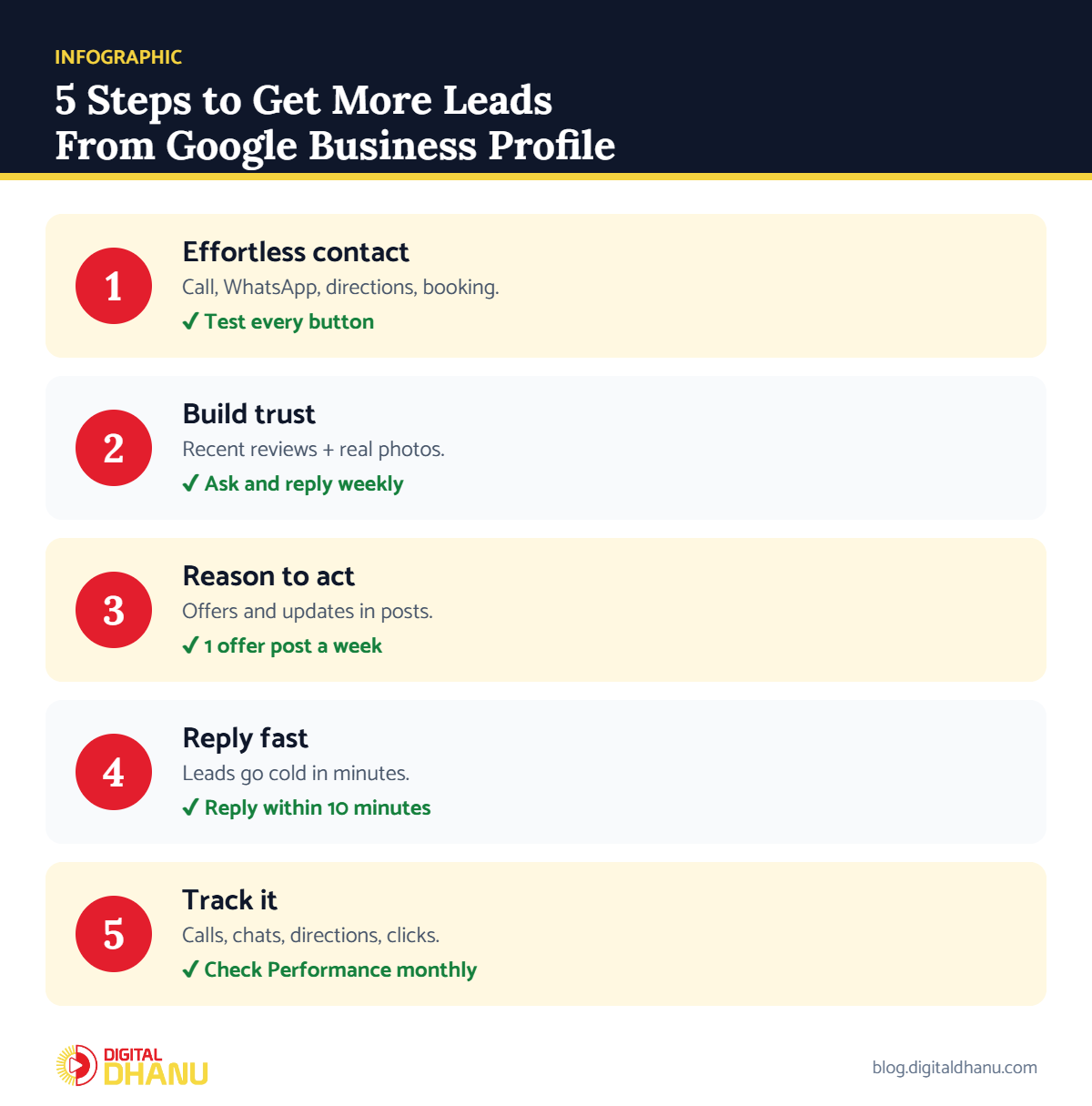
Step 1: Make Contacting You Effortless
Every extra tap loses a lead, so make sure every contact option works:
- Call button — your phone number is correct and answered.
- WhatsApp/chat — add it as a contact option where available; Indians love messaging.
- Directions — a correct map pin brings walk-in customers.
- Website or booking link — another easy way to reach you.
✅ The fix: Test every button on your profile from a friend’s phone today.
Step 2: Build Trust That Converts Into Leads From Google Business Profile
Trust is what turns a viewer into a lead. Recent, genuine reviews with your replies do most of the work, and real photos of your shop and work help too. As a result, when a customer sees an active, well-reviewed business, calling feels safe.
✅ The fix: Follow how to get more Google reviews for your business and add fresh photos every month.
Ranking but not getting calls?
WhatsApp us your profile — we’ll show you where you’re losing leads, free.
Step 3: Give People a Reason to Call Today
Posts with offers, seasonal services or limited slots give customers a reason to act now instead of later. For example, “Free check-up this week” or “Diwali offer — 10% off” turns a browser into a caller.
✅ The fix: Publish one offer or update post every week. Google explains post types in its guide to creating posts.
Step 4: Respond Fast or Lose the Lead
A lead goes cold fast. If someone messages you and you reply hours later, they’ve often already called someone else. Consequently, quick responses win business — treat every enquiry like it matters, because it does.
Step 5: Track Leads From Google Business Profile
Your profile’s Performance report shows calls, chat clicks, direction requests and website clicks. Google’s guide to understanding your profile performance explains each metric. Check it monthly so you know which changes actually bring more leads.
✅ The fix: Note your monthly calls, directions and website clicks in a simple sheet, and compare month to month.
Leads From Google Business Profile: What to Track
| Metric | What it means | Good sign | If it’s low |
|---|---|---|---|
| Calls | People tapping your number | Rising month on month | Check number, add offers |
| Chat/WhatsApp clicks | People messaging you | Fast replies, more chats | Add WhatsApp, reply faster |
| Direction requests | Walk-in intent | Growing steadily | Fix map pin, add photos |
| Website clicks | People researching more | Lands on a clear page | Improve landing page |
| Searches & views | How often you’re seen | Growing with ranking | Work on ranking first |
Checklist: Get More Leads From Google Business Profile
Tick these off this week:
- Every contact button tested and working
- Recent reviews with replies
- Fresh photos of real work
- One offer post live this week
- Replies to enquiries within 10 minutes
Key takeaway: Leads come from removing friction and building trust: easy contact options, strong recent reviews, clear photos, a reason to act, and fast replies. Visibility opens the door; these bring people through it.
Want More Leads, Not Just Rankings?
Still not visible enough? Start with how to rank number 1 on Google Maps in India, then increase your Google Business Profile views.
Digital Dhanu focuses on what actually matters — turning your profile into a steady stream of enquiries. Explore our Google Business Profile service or book a free consultation.

Written by the Digital Dhanu GMB Team
Google Business Profile & Local SEO specialists based in Noida. 1,300+ businesses helped across India, Dubai and Australia since 2019.
Turn Your Profile Into a Lead Machine
Message us and we’ll show you exactly where your profile is losing leads — and how to fix it.
Get a Free Lead Leak Audit
Talk to a GMB expert today — more enquiries, not just rankings.
Frequently Asked Questions
Why do I rank well but get few leads?
Because visibility and leads differ. Thin profiles, old reviews or awkward contact options make customers hesitate, even when they find you.
What’s the best contact option for leads in India?
WhatsApp, together with a working call button. Indians often prefer messaging, so offering it noticeably increases enquiries.
Do reviews help get leads or just ranking?
Both. In fact, recent genuine reviews build the trust that turns a viewer into an actual enquiry.
How fast should I reply to profile messages?
As fast as possible — ideally within minutes. Otherwise, the customer may have already contacted a competitor.
How do I know how many leads my profile brings?
Check the Performance report in your profile for calls, chats, direction requests and website clicks every month.