

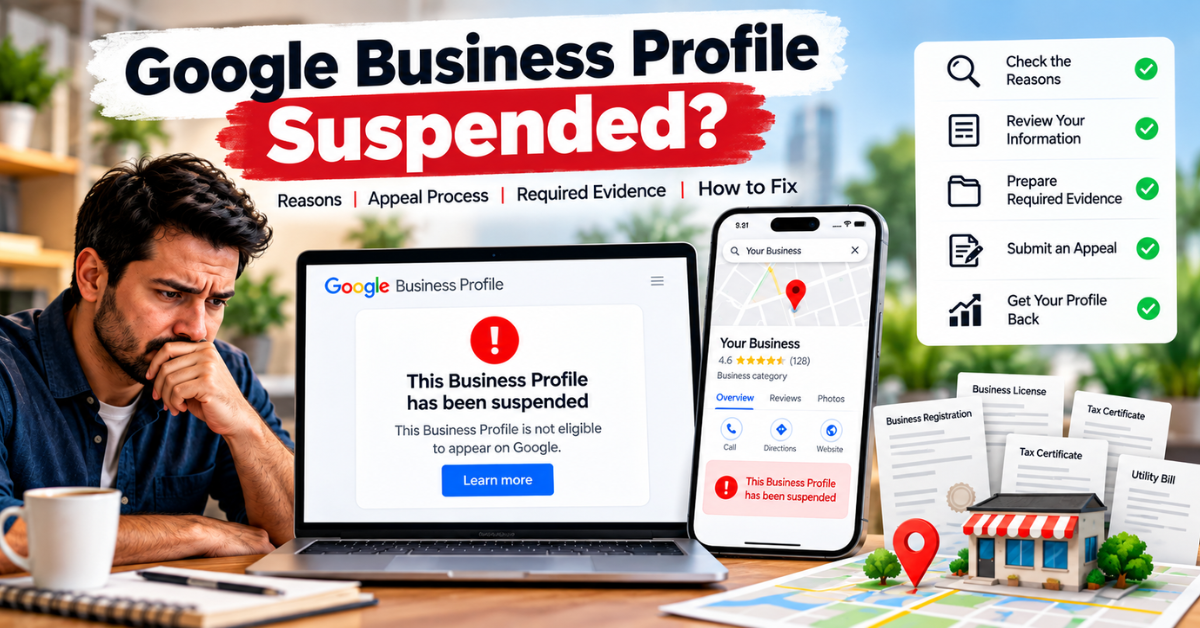
Google Business Profile Suspended? Here’s What to Do
Google Business Profile Suspended can right away make it hard for people to find you on Google Search and Maps. This can mean you get fewer calls, fewer people go to your website, and not as many customers ask about your business.
Before you make a new one, you need to know why it happened. Google wants you to read its guidelines and see if your one follows them. Fix any problems you see. You should use the right way to ask for a review by making an appeal. Do not start a new one while your appeal is still waiting to be looked at.
Get a Free Google Business Profile Suspension Audit
Get expert help from Digital Dhanu and know what to do next.
Connect with a Digital Dhanu GBP Expert.
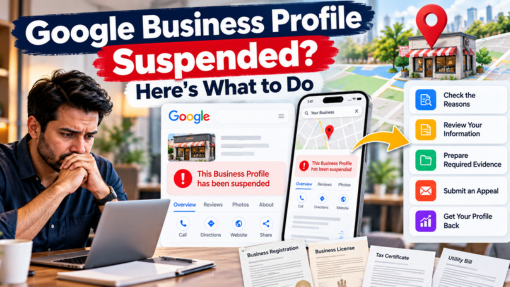
Why Was My Google Business Profile Suspended?
There is no single reason for each suspension. You can look at a few things, like:
1. Business Eligibility
Your business needs to follow the rules for a Google Business Profile. Most of the time, Google wants your business to meet customers in person. But there can be some times when this is not needed.
2. Incorrect Business Information
Check your:
- Business name
- Address
- Phone number
- Website
- Business category
- Area where they work
Your profile needs to show your business in a real and clear way.
3. Business Name or Address Issues
Do not add extra keywords to your business name if you do not need to. Also, do not use a fake address just to try to get better local rankings.
4. Duplicate Profiles
Check if the business has another page. Making more than one page can bring trouble. It may also break Google’s rules.
5. Policy or Account Issues
Suspensions can also happen when you do not follow Business Profile rules. They can also happen if there are some limits on the Google account that looks after it.
Get a Free Google Business Profile Suspension Audit and resolve your suspension.
Free review • No obligation • 1,300+ businesses served
What Should You Do Before Appealing?
Don’t submit an appeal blindly.
Use this quick checklist:
- Look at your business to see if it can be on Google
- Go over why your business was taken off
- Look at your business name
- Make sure your address is right
- Look at your category
- See if any listings are the same
- Go over any new changes to your listing
- Get the papers that help your case
This lets you see the problem before you ask to get it back.
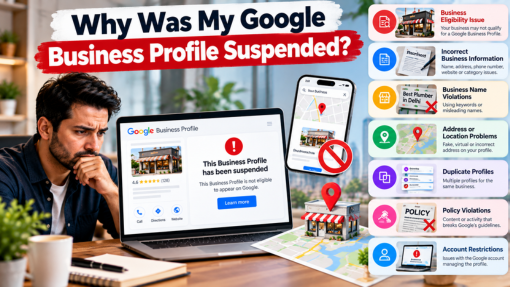
What Documents Can Support an Appeal?
Google may want you to show proof that your business is real.
Depending on your case, these helpful papers can be:
- Business registration
- Business license
- Tax certificate
- Electricity bill
- Phone bill
- Water bill
- Internet bill
Google says it is good to make sure the business name and address on your proof are the same as the one you want to appeal.
Quick Tip
Do not upload papers that do not fit. Send proof that is a match for your business and the info shown on your page.
How to Appeal a Suspended Google Business Profile
Follow Google’s official appeal process.
- Sign in to the Google profile that you use to manage the page.
- Go to Google’s Business Profile appeals process.
- Check the rule and find the right policy.
- Correct any inaccurate information.
- Send in the appeal and any proof when you are asked to do it.
- Track the appeal status.
Google now says you must give your evidence in its form within the set time after the form is open.
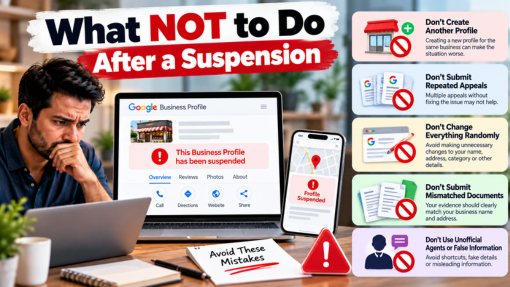
What NOT to Do After a Suspension
Avoid these common mistakes:
Don’t Create Another Profile
Google says you should not make a new page for the same business while your appeal is still being looked at.
Don’t Submit Repeated Appeals
First, you need to know what the problem is. If you send the work again and again without fixing it, it will not help.
Don’t Change Everything Randomly
You don’t have to change your name, address, type of work, or any part of your details if you don’t have a real reason.
Don’t Submit Mismatched Documents
Your proof should clearly show how it connects to the business and to who they are.
Get a Free Google Business Profile Suspension Audit and resolve your suspension.
Free review • No obligation • 1,300+ businesses served
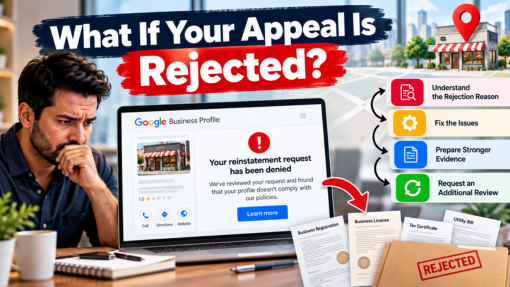
What If Your Appeal Is Rejected?
Don’t immediately create another profile.
Depending on what is happening, Google can let you ask for a review one more time after they say no to bringing your account back. In this review, you can send more proof to help your case.
The sensible process is:
Review → Fix → Collect Proof → Appeal → More Review if Needed
How to Prevent Another Suspension
After you get your account back, check if everything about your profile is right. Also, follow the rules.
Regularly check:
- Business information
- Address
- Business category
- Area where the business works
- Business hours
- Website
- Ownership and who can get in
Do not change things just to try and move up in rankings. Instead, show what the real business does and how it works.
Need Help With a Suspended Google Business Profile?
Not sure why your profile was suspended?
Digital Dhanu can see your profile details, check if you did not follow any rules, look for new changes, spot any double entries, and see any proof that is there before you move to the next step.
Get a Free Google Business Profile Suspension Audit
Get expert help from Digital Dhanu and know what to do next.
Connect with a Digital Dhanu GBP Expert.
FAQs
The reasons can be things like who can use the service, if there is wrong info, having more than one profile, problems with rules, or rules about the account.
Do not make a new account when your appeal for that same business is still being checked.
Business registration, licenses, tax papers, and bills for water or electricity can help. It will depend on your situation.
No. Google makes the final reinstatement decision.
Find out why the problem happened. See if you can fix it. Solve any issues. Collect proof. Use Google’s steps to send your appeal.