
Google Business Profile Suspension- GMB expert
Google Business Profile Suspension: Causes, Fixes & Prevention in 2025
Has your Google Business Profile Suspension disappeared from Google Search or Maps? If this is happening to you, then your account may not be working right now. When something like this happens, it can feel hard for any business owner. You may feel stress, and that is normal because being online is very important. When you are on the web, people can find you and talk to you about your business.
In this guide, Digital Dhanu talks about the top reasons why Google Business may stop working. You will read how to fix this. You will also get steps so this does not happen again.
What is a Google Business Profile Suspension?
A Google Business Profile suspension means that Google takes down your business listing. People can not see your business on Google Maps or when they search. You might still see it in your dashboard. But other people will not be able to get to it. Your customers will not find you there.
There are two types of suspensions:
- Soft Suspension – You can still look at your profile, but you are not allowed to change or manage it. People will still be able to find you on Maps.
- Hard Suspension – Your listing is taken off Google Search and Maps. It will not show up for people until you ask to get it put back.
Common Reasons for Google Business Profile Suspension
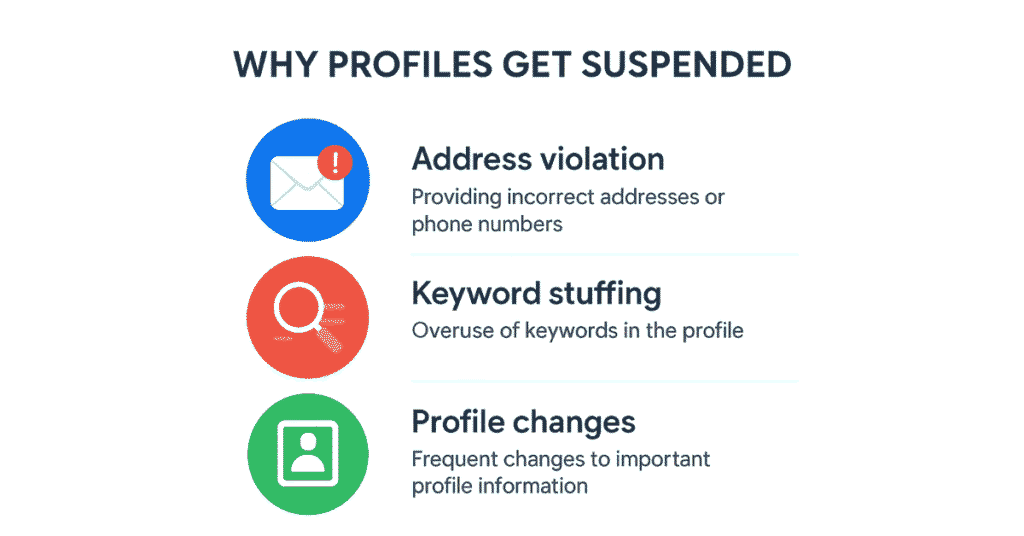
- Breaking Google’s Rules
- Using a fake office or putting a P.O. box for your address
- Listing the same place many times
- Making up your business name or using one to fool people
- Too Many or Odd Edits
- Changing your business name, what you do, or your phone number again and again
- Making changes without any proof to show they are true
- Business Types That Can’t Be Listed
- A business that people find only online, with no place to visit in person
- A listing for a spot where people can’t walk in
- Phone Number Problems
- Using a phone number that is not from your city, or a number just to track calls
- A phone that is not in the same city as where you work
- No Proof the Business Is Real
- No photos, no files about your business, or no bills for things like lights
- No sign or anything real there to show your business is open
- SEO Mistakes from Others
- Other people or companies change your listing when they should not do so
- A mistake that makes Google give a warning on your listing
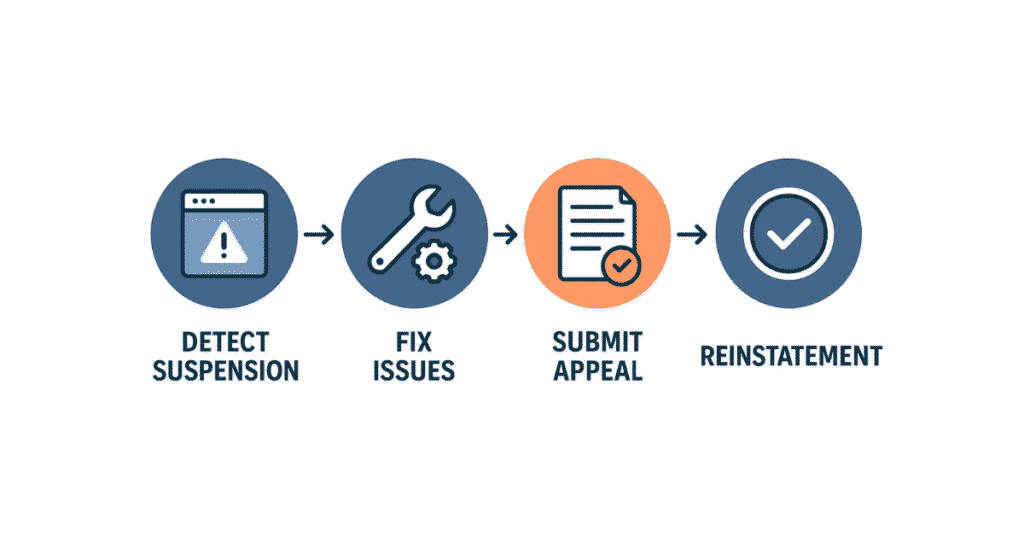
How to Fix a Suspended Google Business Profile
✅ Step 1: Review Google’s Guidelines
Check the rules for your Google Business Profile. Take some time to read them well. Be sure you know if there is any issue.
2: Gather Supporting Documents
Prepare:
- You need to have your business license or GST, or PAN papers.
- Gas, water, or electricity bills are needed to show your place and address.
- Take photos outside your shop that show the sign of your shop.
- Take photos inside your shop or office.
3: Submit a Reinstatement Request
Fill out the official Google Business Profile reinstatement form with:
- Business name
- Suspended profile URL
- A short reason that shows what happened, in simple words
4: Wait for Google’s Response
You will need to wait for about three to seven business days. Sometimes, Google can ask you to give more proof during this time.
What Not to Do During Suspension
- Don’t make a new listing. This can bring back the same problems, or you could get your account paused again.
- Don’t keep changing things when your account is being checked.
- Don’t miss any emails from Google. Google may need answers from you.
How to Prevent Future Google Business Profile Suspensions
📌 Follow Guidelines Strictly – You should only add businesses that see their customers in person or work at one spot.
📸 Document Everything – Take photos of the shop front, the inside, and every sign. Put them up often.
🧾 Keep Consistent NAP Info – It is good to always use the same Name, Address, and Phone number each time you show them. Make sure these details are on your website, in social media, and on all directories. This helps people feel sure that they get the right way to reach you. It also makes your business look good and be trusted by others.
💼 Monitor 3rd-Party Edits – You need to look out for “Updates from Google”. If there is a change that you do not like, say no to it.
How Digital Dhanu Can Help
At Digital Dhanu, we help businesses solve any issues with their Google Business Profile suspensions. We work closely with you to stop these problems from coming back.
Our services include:
- We look at your account to make sure it is following the rules.
- We help you with forms, so you can have your account back.
- We help you get your papers ready.
- We keep watching your account and take care of it all the time.
👉 It does not matter if you have trouble with lights or if your account is not working. Our team will help you get back on track fast.
FAQs About Google Business Profile Suspensions
❓ How long does it take to get back a suspended Google Business Profile?
Most people get their suspended Google Business Profile back in three to seven business days. But if your case is not simple, you may need to wait more days.
❓ Can I speak directly to Google about my suspension?
You may send an email to Google. It is not easy to reach live chat support. Digital Dhanu can help you make better messages. This can give you a higher chance to get your account back.
❓ Is suspension the same as deleting a profile?
No, these are not the same thing. A suspension is when they stop your profile because you did not follow the rules. A deletion is when you let the site know you want your profile gone, and you choose to have it removed.
Final Thoughts
It can be hard when you see that your Google Business page is not working or has been blocked. But there are steps you can take to get it back. If you know why this happened and have the right papers, you can fix it. You should also use good methods so your business is still easy for people near you to find.
💼 Let Digital Dhanu help you with your account. You can get your account back. We will also help you keep it safe, so it does not get stopped again.
👉 Book a Free GMB Audit with Digital Dhanu today. You can get back on Google Maps faster.