How do you verify Google Business Profile in India? Open your profile, click Verify, and complete the method Google offers you — usually a video recording, phone or SMS code, email, or sometimes a postcard. Once Google confirms the details, your business appears publicly on Search and Maps. In short, you verify Google Business Profile once, and then everything else starts working.
You’ve created your profile and filled it in, yet it’s still not showing up for customers. In most cases, the missing piece is verification. Until Google confirms your business is real, your listing stays hidden.
So here’s exactly how to do it — the methods available, the steps, and what to do if verification gives you trouble.
Free Google Business Profile Audit — No Payment, No Contract
Send us your profile link and within 24 hours you get a written audit showing exactly what is holding your rankings back:
- Who is outranking you inside your own 3 km — and why
- Category, map pin, photo and review gaps on your listing
- The 3 fixes that will move your calls first
Call or WhatsApp +91 8130854678 | WhatsApp us | Request the audit
Why You Must Verify Google Business Profile First
Verification is Google’s way of making sure a real business is behind the listing. Without it, you can’t appear publicly, respond to reviews properly, or use most features. Therefore, it’s the gate you must pass through before anything else works.
It’s also the most common reason a profile is invisible, as we explained in why your business is not showing on Google Maps.
The Methods to Verify Google Business Profile
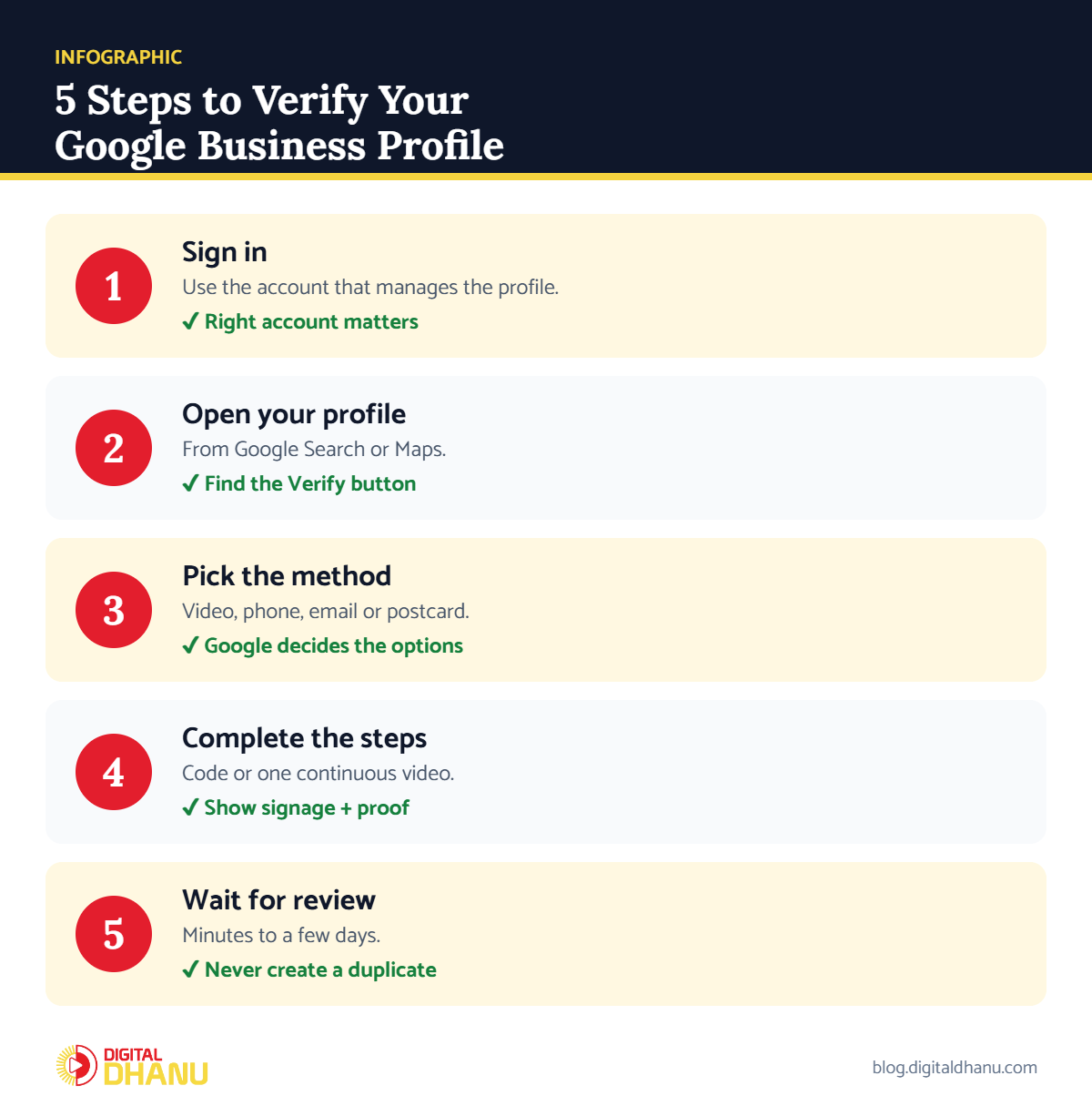
Google decides which methods you get, based on your business type, location and history. According to Google’s guide to verifying your business, the options include:
- Video recording — record a short continuous video showing your location, signage and proof of management. Very common in India.
- Phone or SMS — get a code by call or text. Instant, when offered.
- Email — a code sent to your business email. Quick, when offered.
- Postcard — a code mailed to your address; less common now and slow.
- Live video call — a call with a Google support agent, offered in some cases.
Step-by-Step: How to Verify Google Business Profile
Once you know your method, the process is simple:
- Sign in with the Google account that manages the profile.
- Search your business name on Google or open your profile from Google Maps.
- Click Verify (or “Get verified”).
- Choose the method Google offers and follow the on-screen steps.
- Wait for Google to review — then your profile goes live.
Stuck on verification?
WhatsApp us your situation — we’ll tell you exactly what to fix, free.
Tips for Video Verification in India
Because video is the method most Indian businesses get, it’s worth getting right the first time:
- Record one continuous video — no cuts or edits.
- Start outside: show the street, nearby shops and your permanent signboard.
- Walk inside and show your products, tools or workspace.
- Show proof of management — open the shutter, unlock the counter, or show a bill book or registration.
✅ The fix: See our step-by-step Google Business Profile video verification guide for a full walkthrough.
If Verification Fails or Gets Stuck
Sometimes verification gets rejected — often because of address issues, missing signage, or a profile that breaks Google’s guidelines. Don’t create a duplicate listing. Instead, fix the underlying issue and try again, or request help through Google support.
Getting it right the first time saves a lot of headache later; for the full picture, read our complete GMB verification guide for 2026.
Ways to Verify Google Business Profile Compared
| Method | Speed | How common in India | Tip |
|---|---|---|---|
| Video recording | Review in ~1–7 days | Very common | One continuous take with signage |
| Phone / SMS | Instant | Sometimes offered | Use the profile’s main number |
| Instant | Sometimes offered | Use your business-domain email | |
| Postcard | 1–2 weeks+ | Rare now | Address must be exact |
| Live video call | Same day | Occasional | Keep documents ready |
Checklist Before You Verify Google Business Profile
Prepare these before you start:
- Business name matches your signboard exactly
- Address is real and precise (or hidden for service-area businesses)
- Permanent signage visible from the street
- Proof documents handy — GST, Udyam or shop licence
- Logged in to the right Google account
Key takeaway: Verification is the gate to visibility. Choose the method Google offers, complete it carefully, and your profile goes public. If it fails, fix the cause — never make a duplicate.
Want Verification Done Right?
Once you’re verified, follow how to optimize your Google Business Profile to start ranking.
Digital Dhanu has handled tricky verifications for businesses across India. Explore our Google Business Profile service or book a free consultation.

Written by the Digital Dhanu GMB Team
Google Business Profile & Local SEO specialists based in Noida. 1,300+ businesses helped across India, Dubai and Australia since 2019.
Get Verified the Right Way
Message us your situation and we’ll help you get verified without risking a suspension.
Get Free Verification Help
Talk to a GMB expert today — clear steps, first time right.
Frequently Asked Questions
How long does Google verification take in India?
Phone, SMS and email codes are instant when offered. Video recordings are usually reviewed within a few days, while postcards can take one to two weeks.
Which verification method is fastest?
Phone, SMS or email, when Google offers them. However, most Indian businesses are offered video verification.
Can I use my profile before verifying?
You can edit it, but it won’t appear publicly on Search or Maps until verification is complete.
Can I choose my verification method?
Not usually. Instead, Google decides which methods to offer based on your business type, location and history.
Why was my verification rejected?
Usually because of address issues, missing signage or policy problems. Therefore, fix the underlying cause and try again — don’t create a duplicate listing.